Web ebook reader
Upload an EPUB and read it in the browser. The reader opens where you left off on any device. Jump from a highlight to its place in the book, and make new highlights.

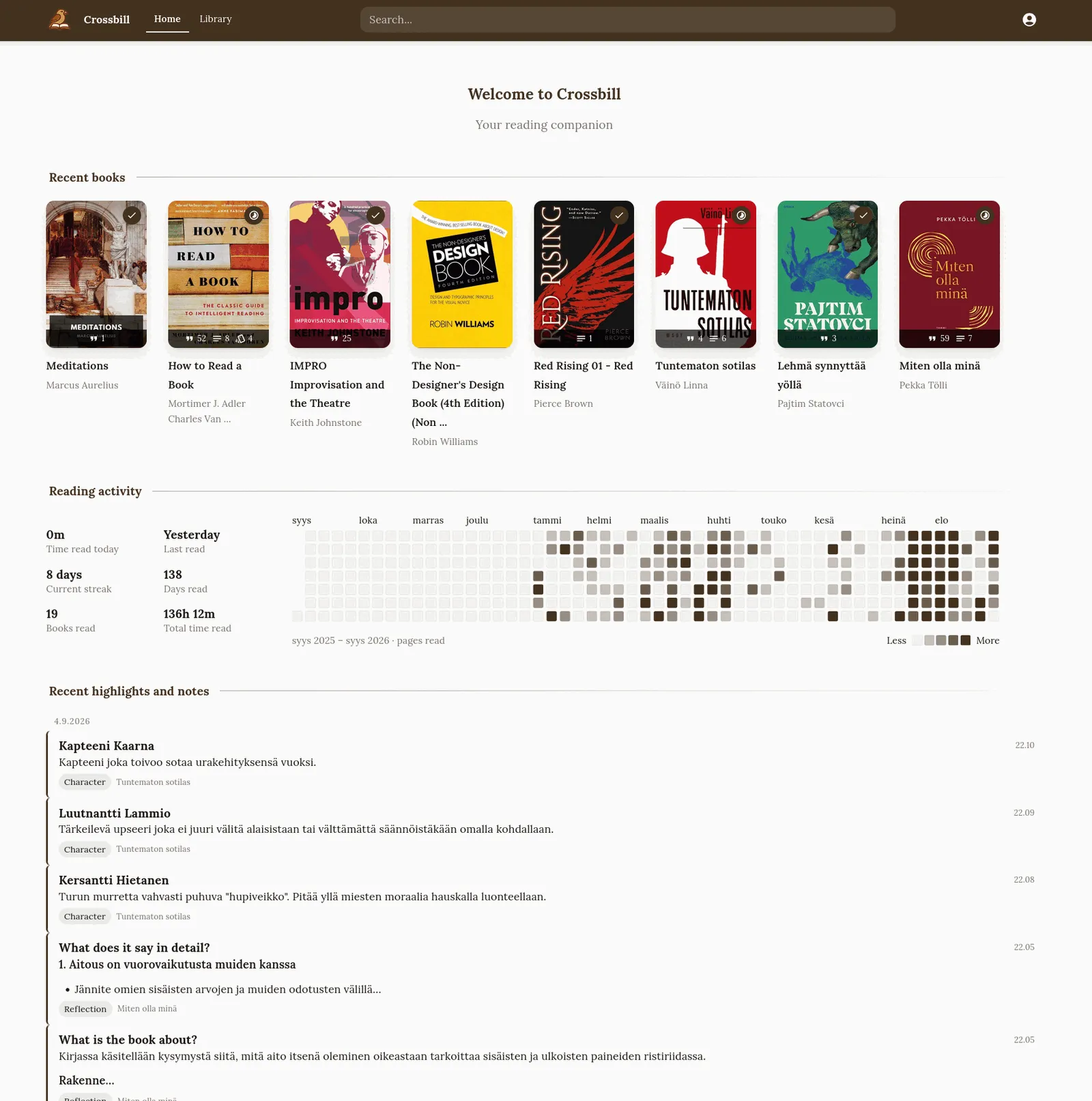
Home: the books you are reading, a year of reading activity, and your latest highlights and notes.
Web ebook reader
Upload an EPUB and read it in the browser. The reader opens where you left off on any device. Jump from a highlight to its place in the book, and make new highlights.
Sync from KOReader
Optional. The KOReader plugin uploads your highlights, highlight styles and reading sessions. Highlights you make in the web reader sync back to the device.
Organize
Group highlights and notes with your own tags, cluster those tags into tag groups, and name the labels your e-reader’s highlight styles stand for.
Write notes
Write notes about a term, a character, a concept or the gist of a chapter. Link them to the book’s chapters, highlights and tags.
Chapter digests
Generate a summary, key points and comprehension questions for a chapter. Read them before the chapter to skim it, or after it for review. Works with Ollama, OpenAI, Anthropic and Gemini.
Flashcards
Make question-and-answer cards from highlights, chapters and notes, or let the AI suggest them. Study them in Anki.
Search by meaning
Find highlights, notes and chapters by meaning, across all books and languages. Optional. Needs an embedding provider.
Book reflections
Answer Adler’s four analytical-reading questions about a book. Track how far you are with each book with a reading stage.
Crossbill is self-hosted and multi-user. Your data stays on your own server.
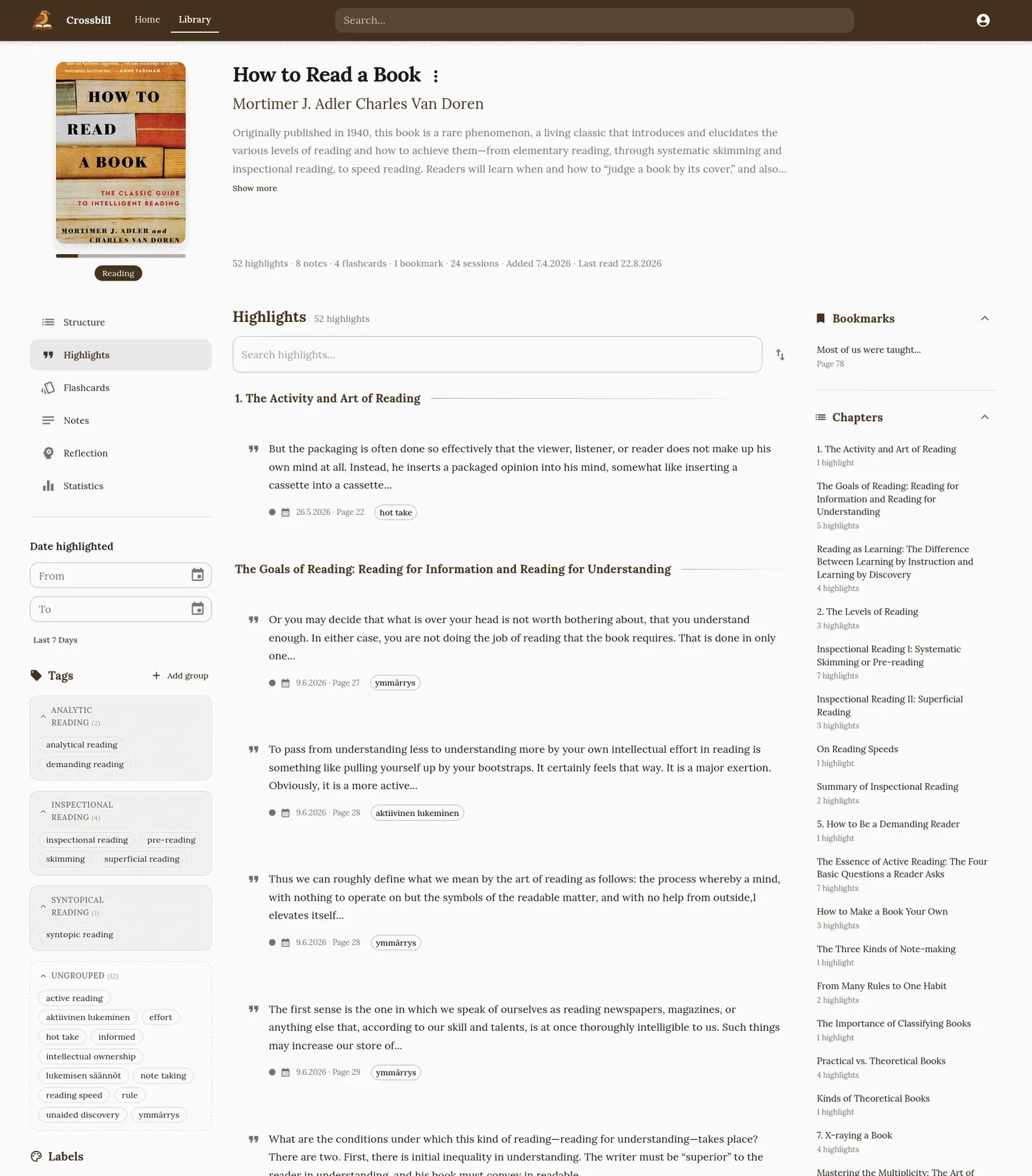
A book’s highlights, grouped by chapter. Filter by tag, date or highlight style, search the book, or jump to a chapter.
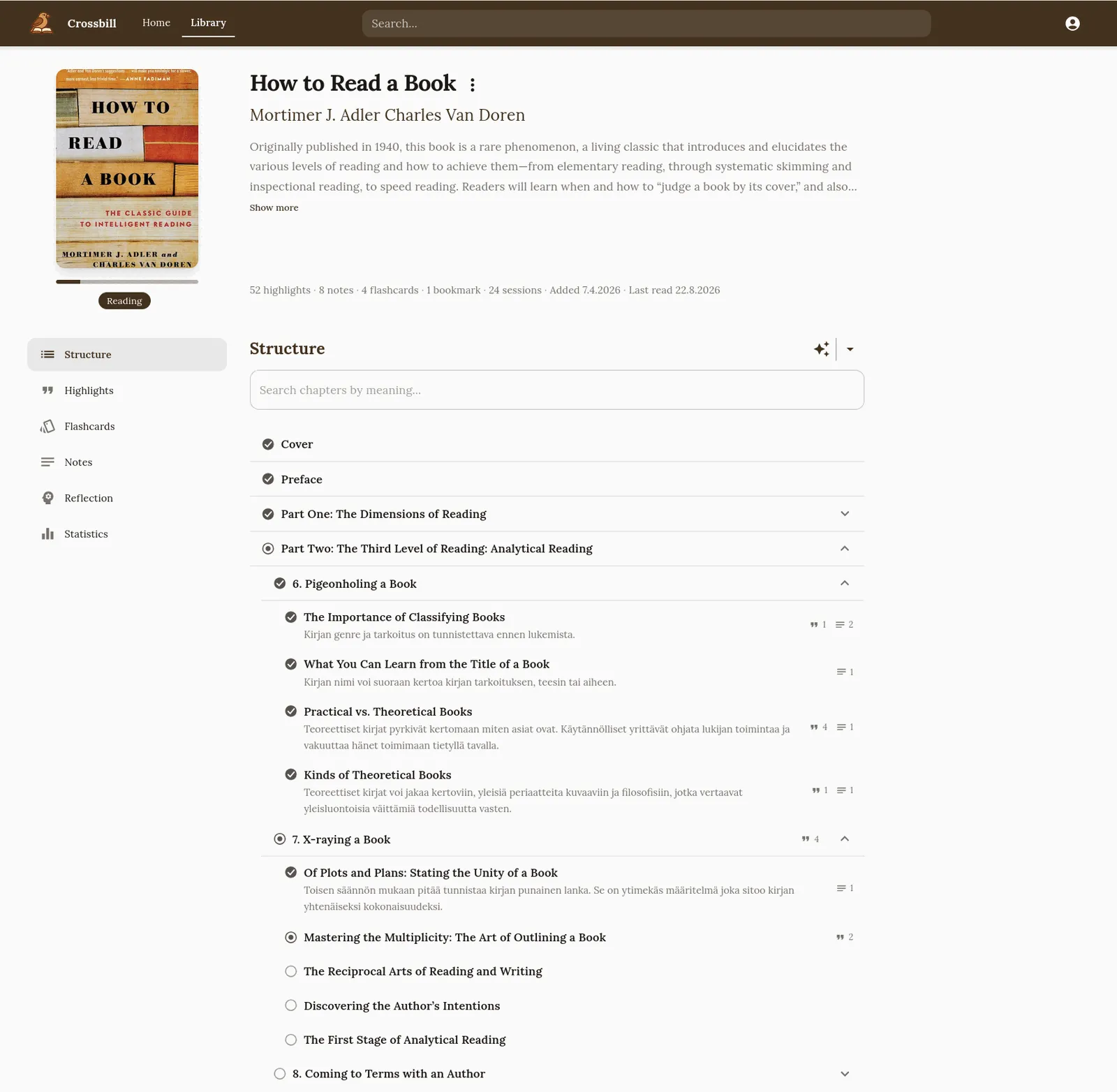
The book’s structure: its table of contents, what you have read, a one-line gist per chapter, and the highlights and notes of each chapter.
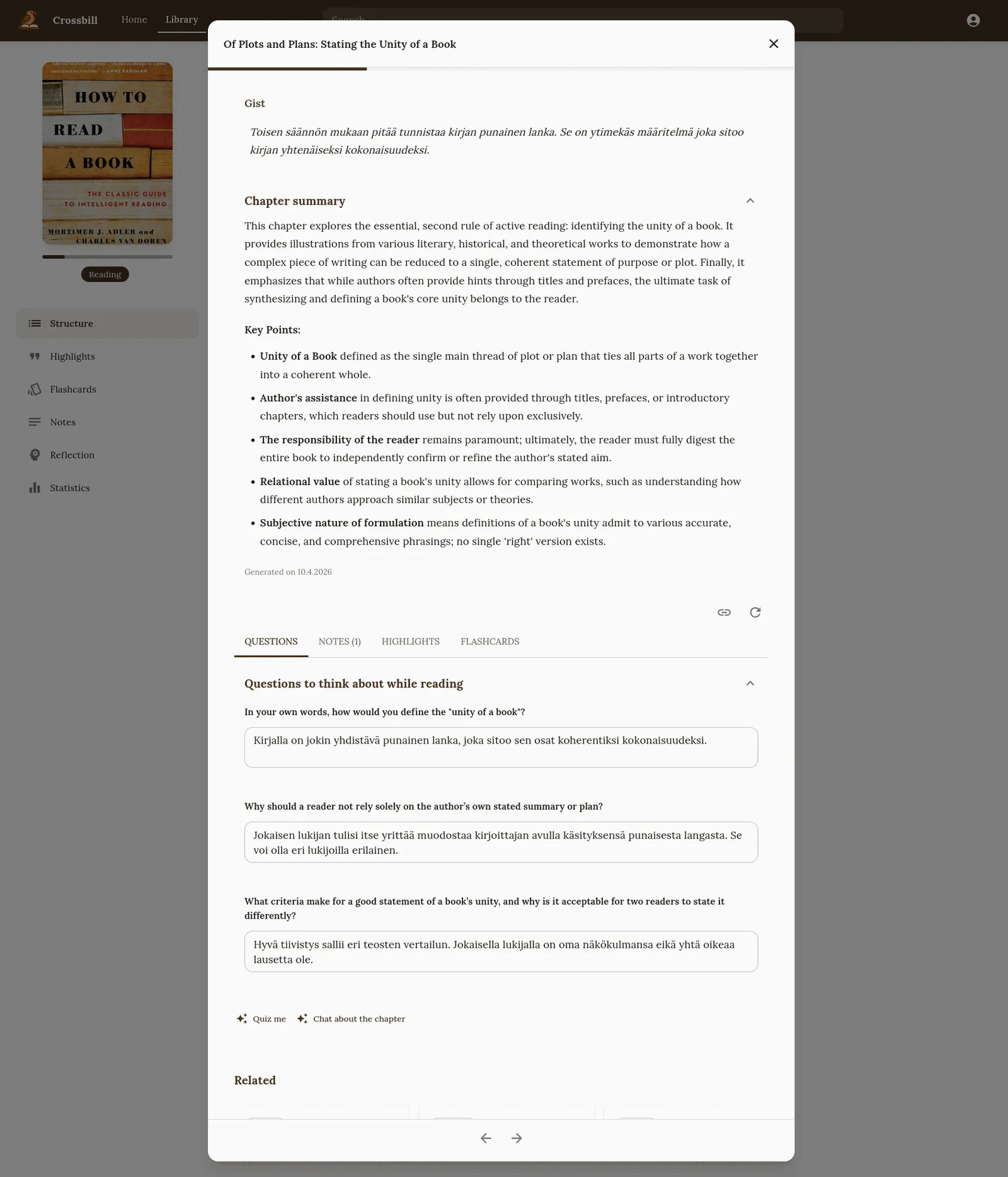
A chapter digest: summary, key points and questions to think about while reading. You can write your answers below each question.
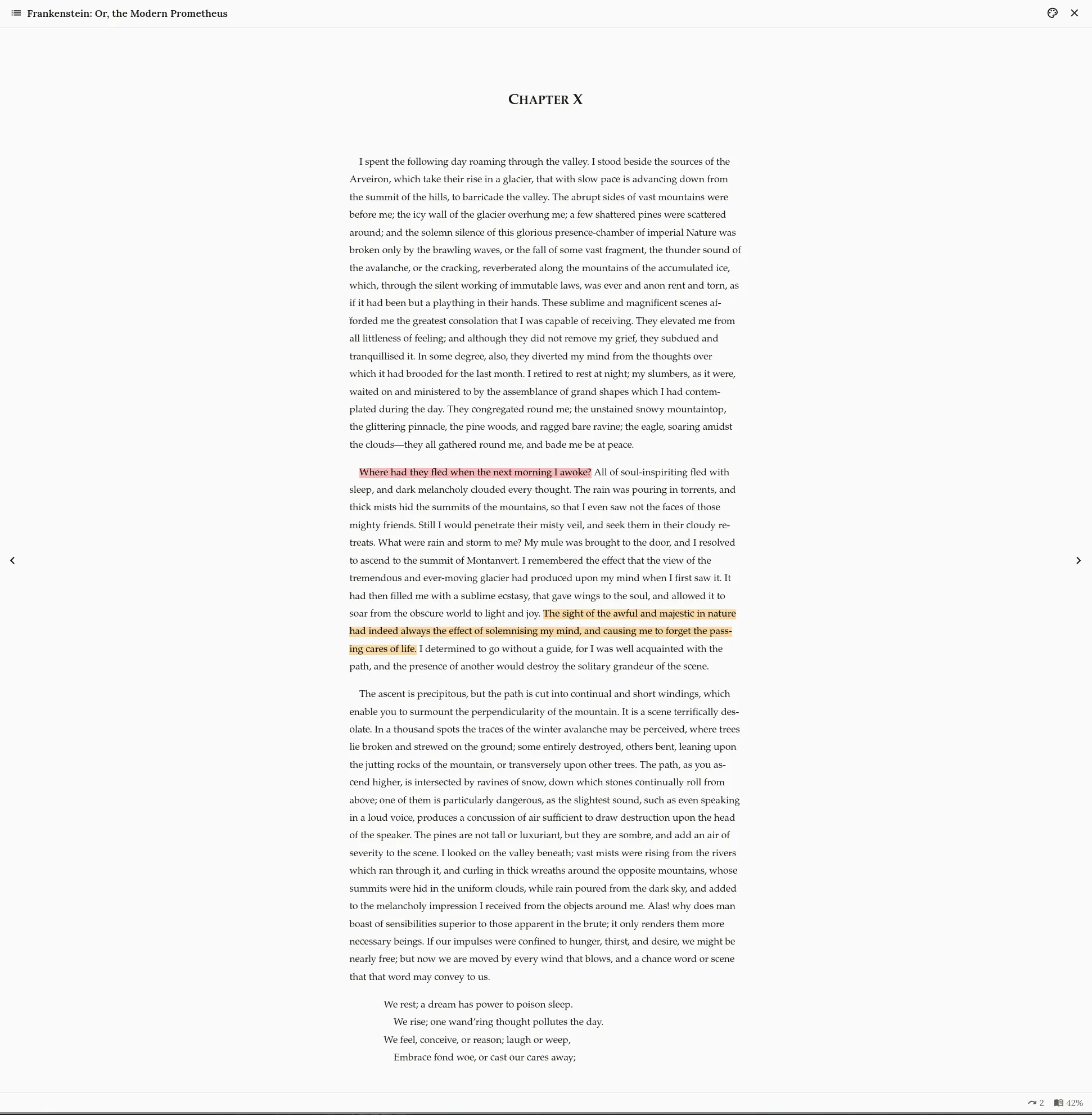
The web reader shows your highlights in their colours. Select a passage to highlight it.